
Everything you need to stay ad-free
Powerful filtering with a clean, modern Material 3 design – in dark or light theme.
System-wide blocking
Blocks ad and tracker domains across apps, games and browsers simultaneously via Android's local VPN.
Malware protection
Stops known phishing, scam and malicious domains with HaGeZi Threat Intelligence before they load.
Encrypted DNS
DNS-over-HTTPS and DNS-over-TLS via Cloudflare, Google, Quad9, AdGuard, Mullvad or your own server.
Real statistics
Day, week and month interactive charts, top blocked domains, filter list performance and per-app stats.
Live request tracker
See every request in real time (in memory only) – block the domain, whole site, or IP with one tap.
Optional HTTPS filtering
Android 10+: remove YouTube video ads, sponsored posts and page widgets inside chosen browsers on-device.
Trusted filter lists
HaGeZi DNS Blocklists and OISD, updated automatically – plus your own custom HTTPS list URLs.
Allowlist & custom rules
Unblock any domain with one tap from history or Live Requests, or add personal domain & IP rules.
App exclusions
Let individual apps bypass Ad Shield completely if they don't work well with a VPN.
CNAME cloaking defense
Catches trackers that disguise themselves behind a website's own subdomain via CNAME aliases.
Direct connections
Optionally see connections of DNS-less apps like Telegram using official server IP ranges.
15-min pause & light battery
Pause temporarily from the notification with live countdown; smart DNS cache keeps battery use low.
Inside Ad Shield
Real screenshots from the app. Click any image to zoom in, or open the User Guide for every option explained in detail.

One-tap shield & today's counters.
Explore Home →

Hourly, weekly & monthly charts.
Explore Statistics →

Inspect & block in real time.
Explore Tracker →

Bypass Ad Shield per app.
Explore Apps →

6 built-in DoH/DoT + Custom.
Explore DNS →

HaGeZi, OISD & custom lists.
Explore Lists →
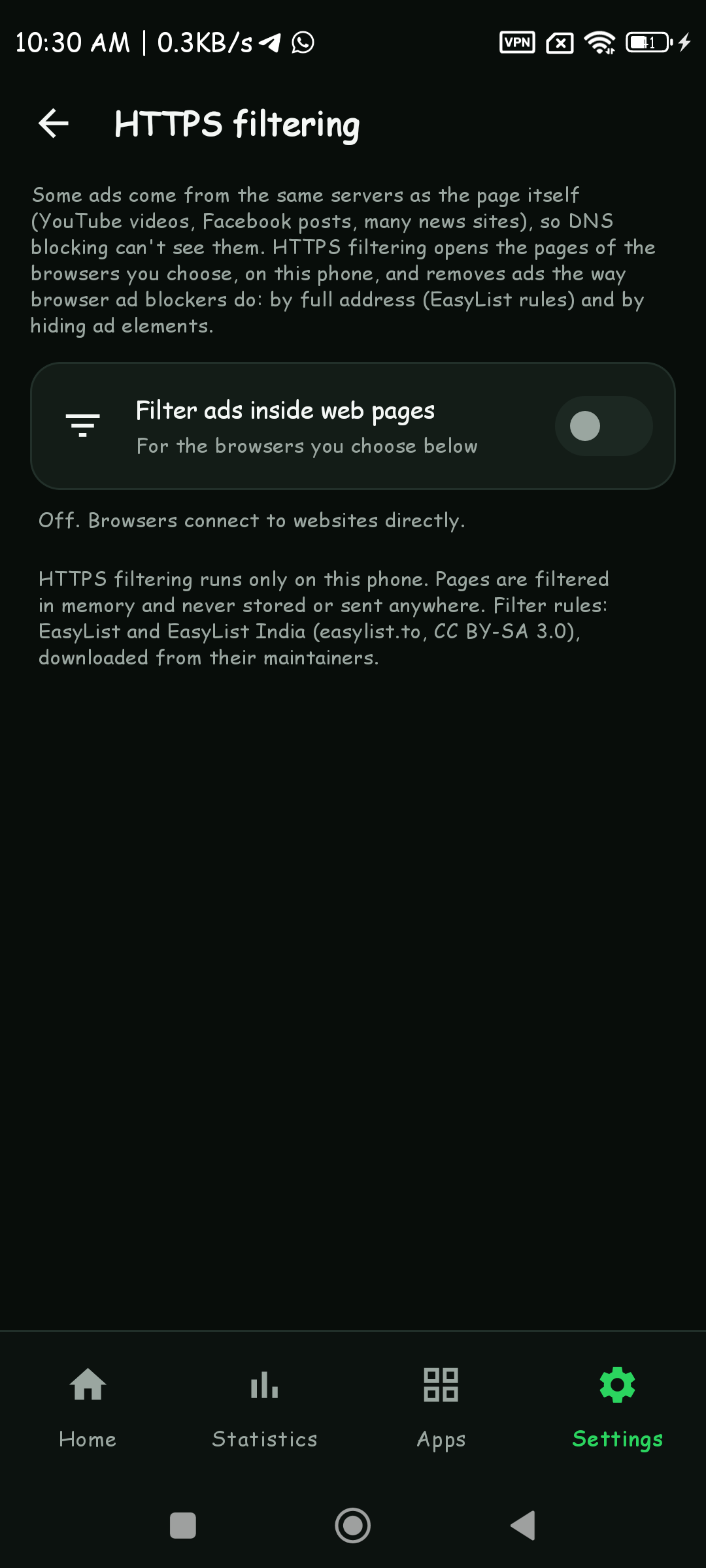
Remove web & video ads.
Explore HTTPS →

See Telegram & fixed-IP apps.
Explore Direct →
How it works
Ad Shield uses Android's built-in VPN feature locally – nothing is routed through our servers.
An app asks for a domain
Every app looks up names like ads.example.com before connecting.
Ad Shield checks it on your phone
The name is matched against your filter lists and user rules in microseconds.
Blocked or answered securely
Ads and trackers get blocked locally; everything else is resolved over encrypted DNS.
Questions
Short answers to common questions. Need step-by-step instructions? See the Use-Case Playbook.
Does Ad Shield see my browsing or passwords?
No. Only DNS lookups (domain names) reach Ad Shield. Page content, passwords and HTTPS traffic are never seen or decrypted, and no certificates are installed unless you explicitly opt in to HTTPS filtering inside chosen browsers.
Why does it need VPN permission?
Android only lets apps filter DNS system-wide through its VPN feature. The VPN is local to your phone and only carries DNS lookups by default.
A website or app stopped working. What can I do?
Open Blocked Domains (or Live Requests), tap the domain and choose "Add to allowlist", or switch the app off in the Apps tab so it bypasses Ad Shield.
Does it filter devices connected to my hotspot?
No. Android only sends traffic from apps on the phone itself through VPN apps – devices on your hotspot (laptops,
tablets, other phones) go straight to mobile data, and no ad blocker on Google Play can change that without root.
To protect them: install Ad Shield on other Android devices, or set their DNS to a filtering resolver such as
AdGuard DNS – Android: Private DNS dns.adguard-dns.com; Windows, Mac and iPhone: DNS
94.140.14.14 and 94.140.15.15. The app's Settings → Hotspot & other devices has
step-by-step instructions.
Does it need root or drain the battery?
No root needed. Ad Shield processes only DNS lookups and caches answers, so its battery use is low.
Is it free of ads and tracking itself?
Yes. Ad Shield contains no ads, no analytics and no tracking SDKs, and we collect no personal data.
💬 Get in touch
Questions, problems or ideas? Mr SS Applications reads every message.
✉️ mr.ss.applications@gmail.com